|
 |
|
|


 |
|
|
|
This
Website
Copyright ©
Mike Nichols
All Rights Reserved
|
|
|

Should you like your own single - page website, then you can
get one! Just go to the Scrapbook section of this website and see how you can
get yours. We offer UNLIMITED changes to your page and you can advertise any
type of toys - including "regular" toys and also Cap Guns. You will get a
custom page that is already connected to this website that is getting thousands
of hits. Voila! Instant exposure for you at a rock bottom price too!
CLICK
HERE
TO SEE |
|


 |
 |
 |
|
| Many people haven't taken the time to learn
enough about graphics to know how to build custom wallpaper but would enjoy
having Cap Guns or some of their own photos on their screen. Believe it or not,
we will be happy to create some free wallpaper for your computer at no cost to
you. Just follow the directions and suggestions below. |
| CLICK HERE TO GO
STRAIGHT TO THE BUTTON TO CLICK ON TO GET YOUR WALLPAPER IF YOU ALREADY KNOW
ALL ABOUT WALLPAPER AND WHAT YOU WANT TO DO. |
|
| What you see when you start up your computer (the
background) is called your wallpaper. It is not called a screensaver. That is a
program whereby, after so many seconds or minutes, your wallpaper disappears or
some other program starts adding or modifying photos to your wallpaper—or
starts a graphical program or slideshow. |
|
What we will be glad to do is to compose some
wallpaper for you at your computer's screen resolution as a .jpg and then you
can set your computer to use it all of the time.
HERE IS HOW
TO START: (These are Microsoft® Windows® instructions.)
1.) You need to tell us what your screen
resolution is. If you are not familiar with how to determine that, here is how.
When you are at your desktop (no programs on the screen, just icons perhaps on
your desktop), then right-click on an empty spot and you will get a menu whose
bottom entry says, "Properties." Click on "Properties." This will open a
dialogue box that is titled, "Display Properties." There will usually be 5 tabs
at the top, the right-most of which says "Settings." Click on this tab and
below it will have a box that is labeled, "Display." It will have a slidebar
with "Less" on the left and "More" on the right. The numbers under the sliding
bar tell you what your screen resolution is currently. Mine says, "1280 x 1024
pixels" right now. This is the information that you should tell us. Without
that, you might get a distorted display on your wallpaper.
2.) If you find
any photos on this website that you would like on your wallpaper, then
right-click on them and send us the name—and hopefully (!!!) the page on
which you found them.
3.) Tell us (if you have any preferences) where you want them on
the page. Remember that the bottom of your page might disappear under your
Status Bar and the left side (or wherever you keep them) might be hidden by
your desktop icons.
4.) If you want the background of your wallpaper to have a
color, then tell us. There are several ways to tell us, RGB in hexadecimal,
percentage, decimal—or just say something like dark blue or the background
that we are running on our website. We won't use backgrounds from other sites,
as we haven't obtained permission to use them, so don't ask.
5.) If you have
some (polite) photos that you want on your wallpaper, then send them in the
e-mail as attachments. We might have to shrink them to get them to fit, so do
consider that.
That's all there is to it.
ONCE YOU GET YOUR
WALLPAPER:
1.) It will come as an attachment to you in .jpg
form—compressed to what we consider is a reasonable amount. This might be
a large file, so be patient when downloading it.
2.) Usually if
you right-click on an attachment, it will give you a menu, one of the options
of which says, "Save Attachment as." Click on "Save Attachment as" and put it
into the folder of your choice and try to remember where you put it. Your
computer will probably consider that your "My Pictures" folder is your default
folder for finding wallpaper pictures, so that might be a good place to put it.
You can find that folder (depending on which operating system you are using)
under this path: Local Disk (C:)-->Documents and Settings-->Windows
User-->My Documents-->My Pictures. If this isn't clear to you, then find
someone who understands and make a friend of them! You can save the photo we
send in this (or any other) folder, or "Directory" for us old computer
nuts.
3.) To select your new wallpaper, go back to your desktop and
right-click on an empty spot and you will (again) get that menu and click on
the bottom selection, which is "Properties." This opens the "Display
Properties" dialog box and you must click on the second tab at the top that is
labeled, "Desktop." Right below you will see a box that itself is labeled
"Background" and it has a list of options. Pick the name of the file that we
just sent you and then click on "OK." You will also notice on the right a
button that is labeled, "Position:" and if you click on it, you will get a menu
that will drop down giving you options. Pick one if you like.
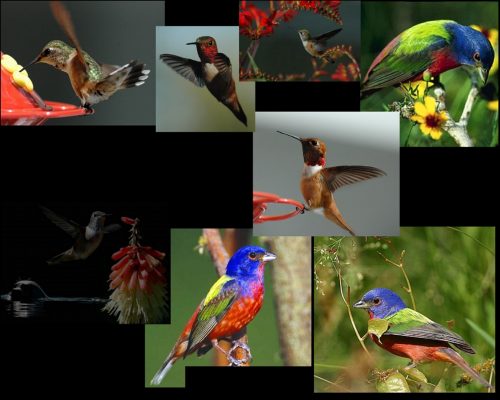
This is an example (shrunk!) showing the wallpaper that I
built for myself and am now using on my computer.
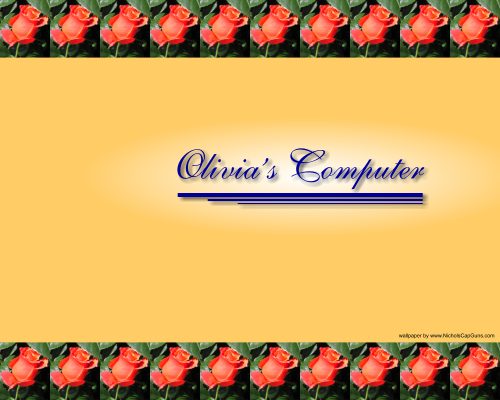
Another example of a possibility. See? It
doesn't have to be Cap Guns.
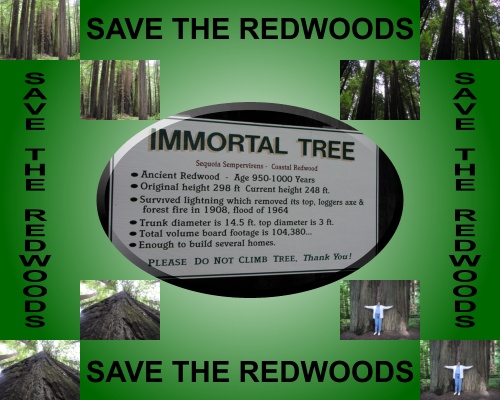
For all of
us "Tree Huggers." Hey, I like redwoods. However, of course they aren't really
endangered.
(Oh by the
way......I can turn your request down. I'm not really willing to become
the world's free logo designer or something, just furnish a nice gift for our
wonderful visitors.) |
|
| If you need a letterhead for some letterhead
stationery, then just say so! |
|
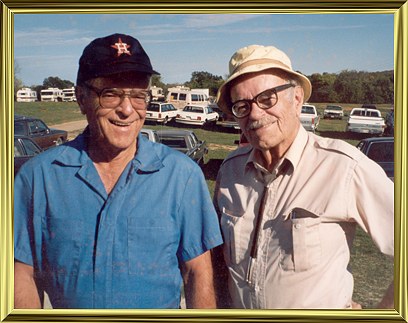
This website is
dedicated to the memories of
Lewis W. Nichols, Jr. (1918-1995)
(Left)
and
Talley W. Nichols (1914-2001) (Right)
Co-Founders—Nichols Industries
Brothers and Best
Friends |
|
|
|
This Web Site © Copyright All Rights Reserved
|
|
 |
 |
 |
|
